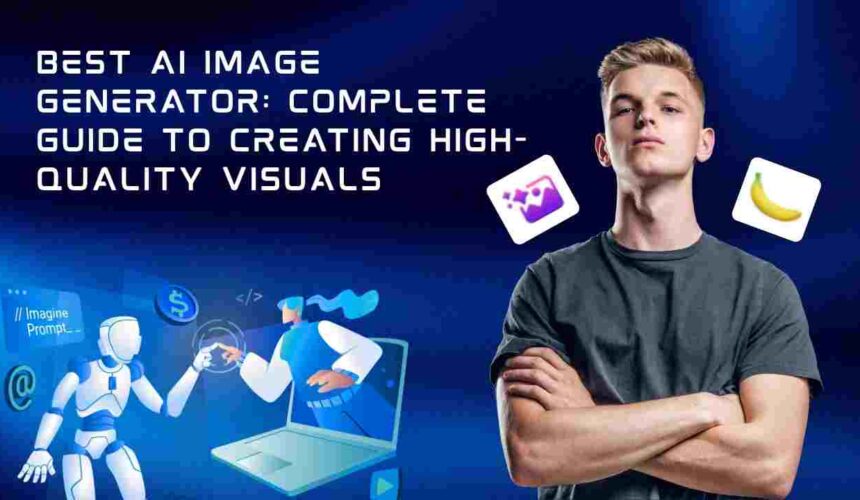
Artificial intelligence has revolutionized how visuals are created. Today, businesses, marketers, designers, and creators rely on the best AI image generator tools to produce high-quality graphics, marketing visuals, and creative assets in seconds.
From generating product images to creating social media content and brand visuals, AI image generators have become essential for modern workflows. In this guide, you’ll discover the top tools, how they work, and how to choose the right one for your needs.
If you want to understand how visual content supports organic growth and digital systems, you can explore Content Marketing Strategy for Long-Term Growth to see how content and visuals align in scalable strategies.
What is an AI Image Generator?
An AI image generator is a tool that creates images based on text prompts using machine learning models. Instead of designing manually, you describe what you want, and the AI generates visuals instantly.
Why It Matters
AI image generators:
- Save time and cost
- Remove the need for advanced design skills
- Enable rapid content creation
- Improve marketing performance
For example, instead of hiring a designer for every campaign, businesses can generate multiple creative variations instantly.
How AI Image Generators Work
AI image generators use deep learning models trained on massive datasets of images and text.
Process Overview
- You input a prompt (e.g., “modern office workspace with natural lighting”)
- The AI interprets the prompt
- It generates multiple image variations
- You refine and download the best version
Most tools allow style control, aspect ratio adjustments, and prompt editing for better results.
Best AI Image Generator Tools for Business
There are many tools available, but choosing the right one depends on your goals. Below are some of the most powerful platforms.
Midjourney: High-End Creative Visuals
Midjourney is known for producing highly artistic and detailed images.
Why Use It
- Exceptional image quality
- Creative and stylized outputs
- Ideal for branding and storytelling
Best For
- Designers
- Creative agencies
- Visual storytelling
DALL·E: Versatile AI Image Creation
OpenAI provides DALL·E, a powerful AI image generator.
Key Features
- Text-to-image generation
- Image editing and variations
- High flexibility
Best For
- Marketing visuals
- Content creation
- Concept design
Adobe Firefly: Professional Design Integration
Adobe Firefly integrates AI into the Adobe ecosystem.
Why It Stands Out
- Commercial-safe outputs
- Integration with Photoshop and Illustrator
- High-quality design control
Best For
- Professional designers
- Branding projects
Canva AI: Beginner-Friendly Design Tool
Canva offers AI-powered image generation alongside design tools.
Advantages
- Easy to use
- Built-in templates
- Ideal for social media
Best For
- Beginners
- Small businesses
- Marketing teams
Leonardo AI: Game and Creative Assets
Leonardo AI is designed for generating game assets and creative visuals.
Key Benefits
- High-detail image generation
- Custom model training
- Creative flexibility
Best For
- Game developers
- Digital artists
Stability AI (Stable Diffusion): Open-Source Flexibility
Stability AI offers Stable Diffusion, an open-source AI image generator.
Why It’s Powerful
- Full customization
- Local deployment options
- No usage restrictions
Best For
- Developers
- Advanced users
- Custom workflows
How to Choose the Best AI Image Generator
Selecting the right tool depends on your business goals and workflow.
1. Define Your Use Case
Ask yourself:
- Do you need marketing visuals?
- Are you creating brand assets?
- Do you need artistic images?
2. Consider Ease of Use
Tools like Canva are beginner-friendly, while Stable Diffusion requires technical knowledge.
3. Check Commercial Usage Rights
Always ensure images can be used commercially, especially for business purposes.
4. Evaluate Output Quality
Different tools produce different styles and quality levels.
Practical Use Cases for Businesses
AI image generators can be used across various industries.
Marketing
- Social media creatives
- Ad visuals
- Campaign graphics
E-commerce
- Product mockups
- Lifestyle images
- Promotional banners
Content Creation
- Blog images
- Thumbnails
- Infographics
If you want to align visuals with SEO and growth strategies, you can explore Digital Marketing Strategy Guide.
Tips to Get Better Results from AI Image Generators
Be Specific with Prompts
Instead of:
“office”
Use:
“modern office with glass walls, natural lighting, minimal design”
Use Style References
Mention styles like:
- Cinematic
- Realistic
- 3D render
- Watercolor
Experiment with Variations
Generate multiple versions and refine your prompts.
Common Mistakes to Avoid
Using Vague Prompts
Ignoring Licensing Rules
Over-Relying on AI Without Editing
Not Testing Multiple Tools
Avoiding these mistakes improves output quality significantly.
Future of AI Image Generation
AI image generation is evolving rapidly.
Upcoming Trends
- Real-time image generation
- AI video creation
- Hyper-realistic visuals
- Full creative automation
Businesses that adopt these tools early will gain a competitive advantage.
Final Thoughts
The best AI image generator depends on your goals, skill level, and use case.
Some tools focus on creativity, while others prioritize ease of use or professional design integration. The key is to test multiple platforms and build a workflow that supports your business needs.
Start simple, experiment consistently, and integrate AI into your content and marketing systems for long-term growth.